
Your bakery, all in one book.
Orders, recipes and costs in one friendly app, saved in a Google Sheet in your own Google account. Made for busy days and flour-covered hands.
- Works on any phone
- Your data stays in your Google Drive
- Help with setup
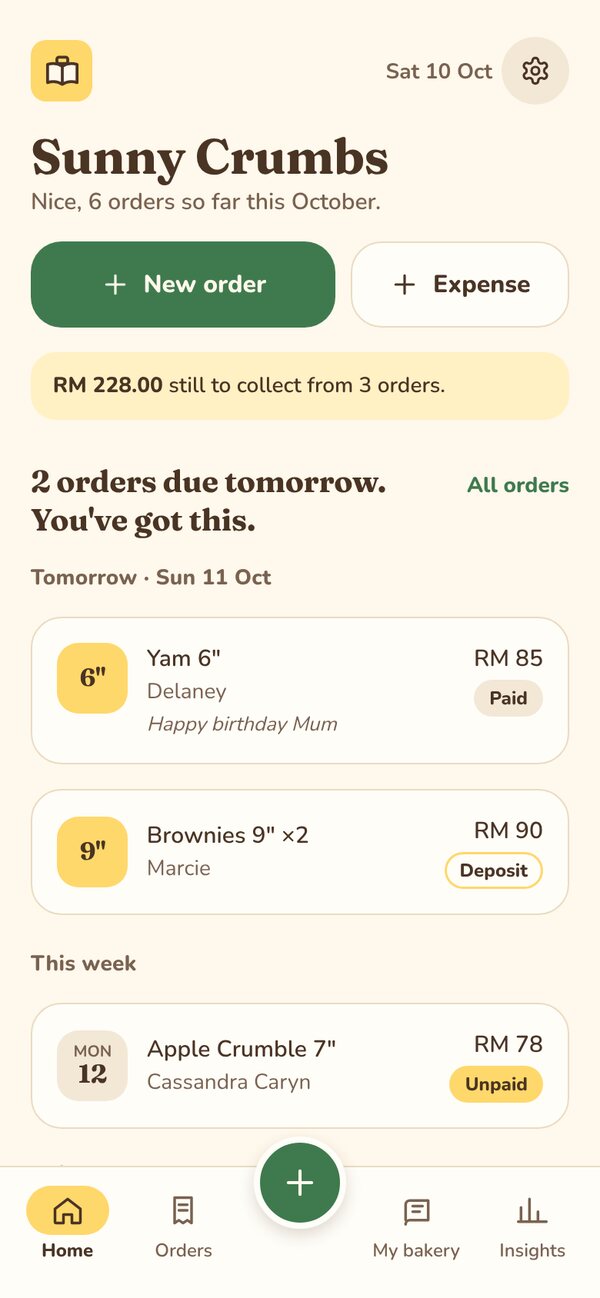
Sound familiar?
Orders lost in chats
Scrolling back through WhatsApp to find who wanted what, and when.
Guessing your costs
Not quite sure what that cake costs you to make, so pricing feels like a gamble.
A fiddly spreadsheet
It works, but it's tiny on your phone and one wrong tap breaks a formula.
What you can do with Butterbook.
Want to see your bakery in Butterbook? Join the beta and we'll set it up with you for free, with your own cakes, prices and customers.
Get free beta access →Take an order in seconds.
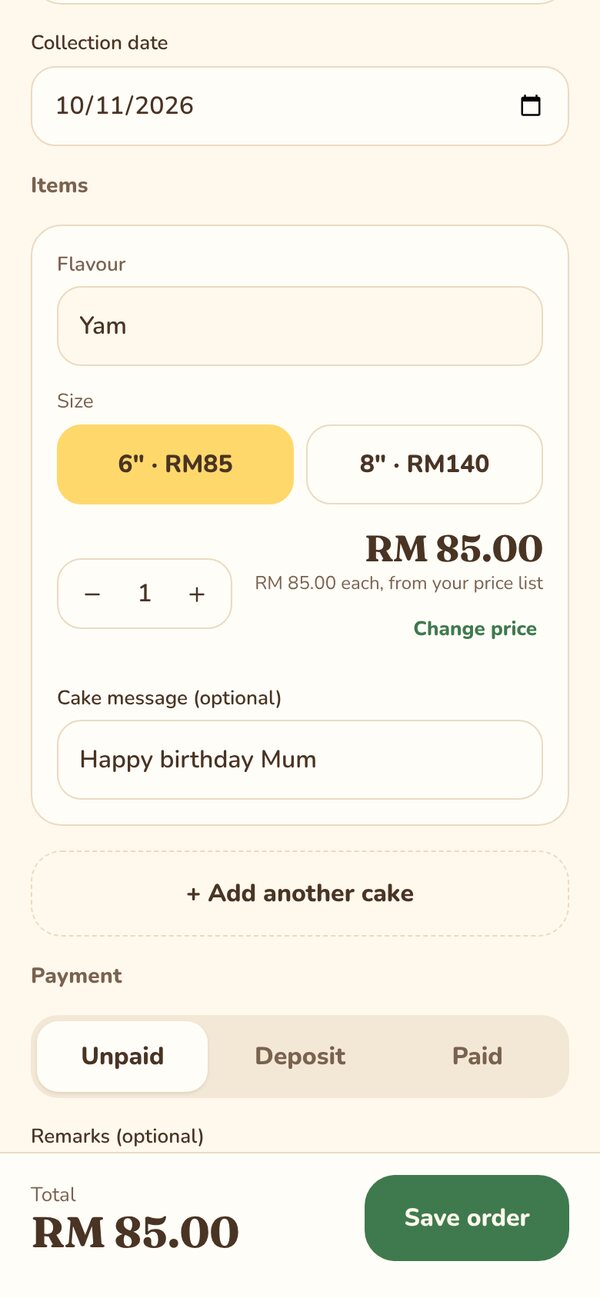
Pick the customer, the cake and the size. The price fills in from your price list, and the message for the cake is saved with it.
- Sizes show their price, so there is nothing to look up
- Deposit, paid or unpaid, tracked on every order
- Today and tomorrow's bakes waiting for you on Home
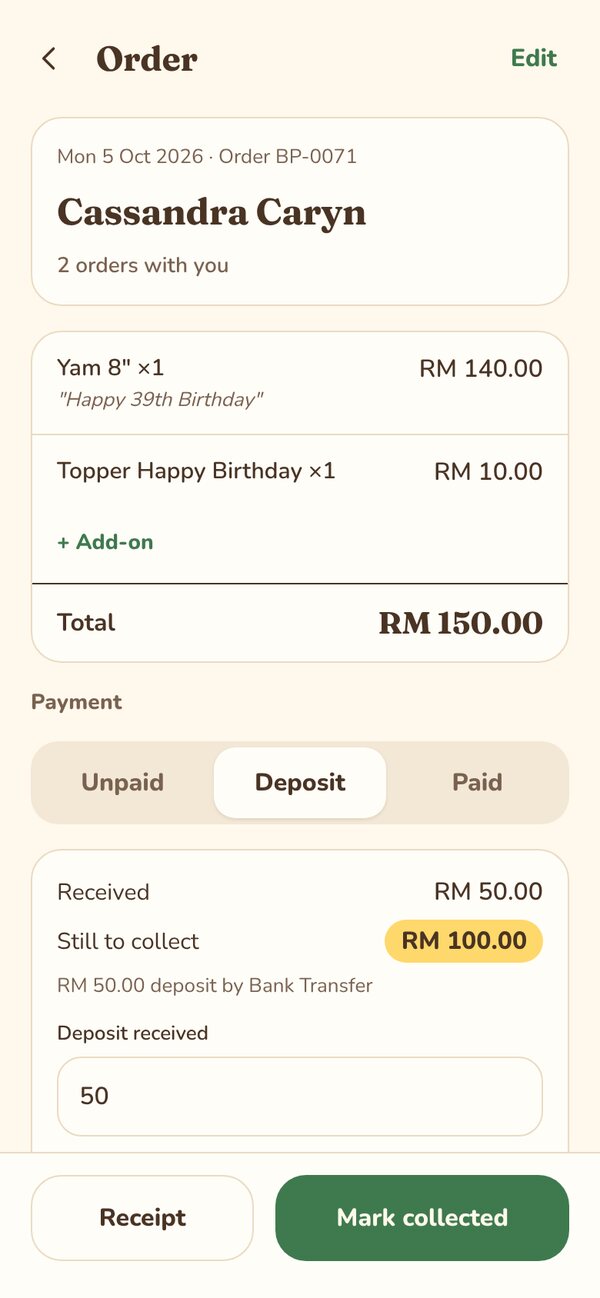
Get paid, and send a proper receipt.
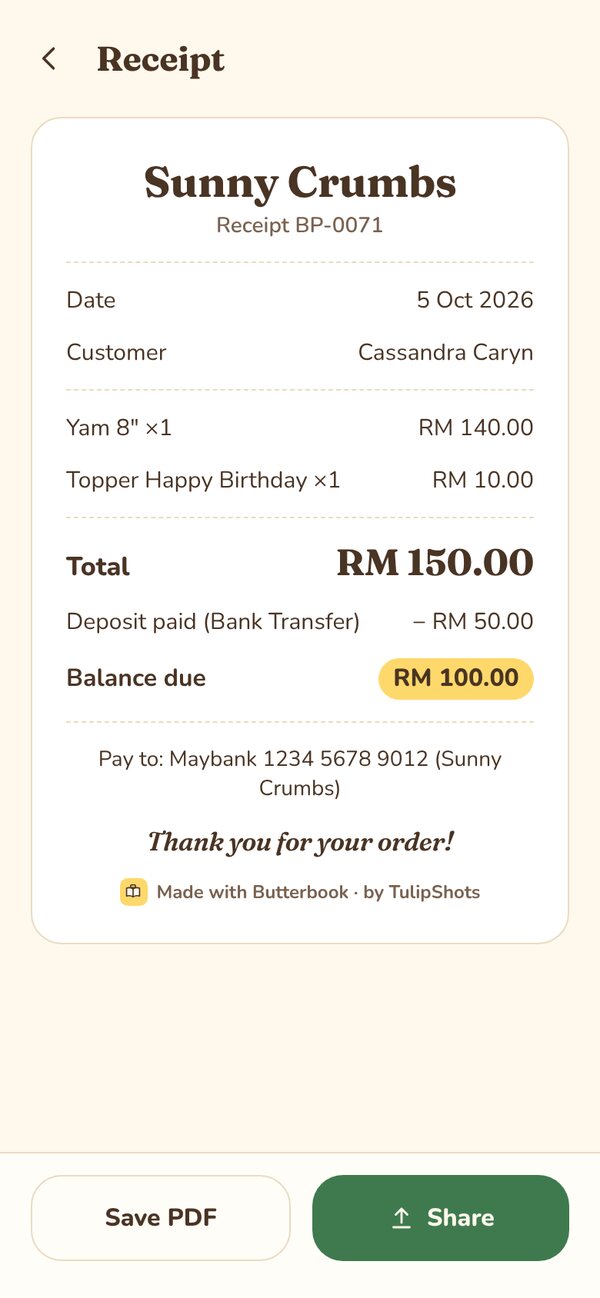
See what's still to collect at a glance. When the cake goes out, mark it collected and share a neat PDF receipt straight to WhatsApp.
- Balance due shows on the order, the receipt and Home
- Your bank details printed on unpaid receipts
- Every receipt says it's from your bakery, not a spreadsheet
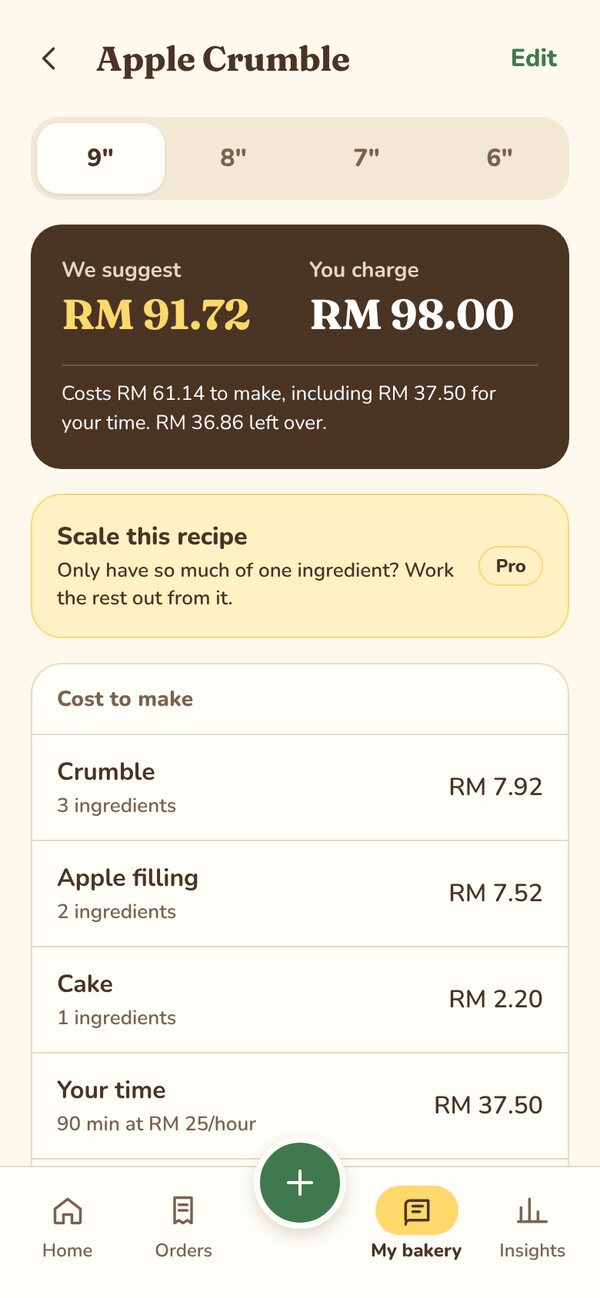
Know what every cake really costs.
Add a recipe once. Butterbook adds up the ingredients, your time, electricity and packaging, then suggests a price. Your hours count, so your price pays you too.
- See the suggested price and what you charge side by side
- Switch sizes and the costs scale with your pan
- Ingredient prices update as you log what you buy
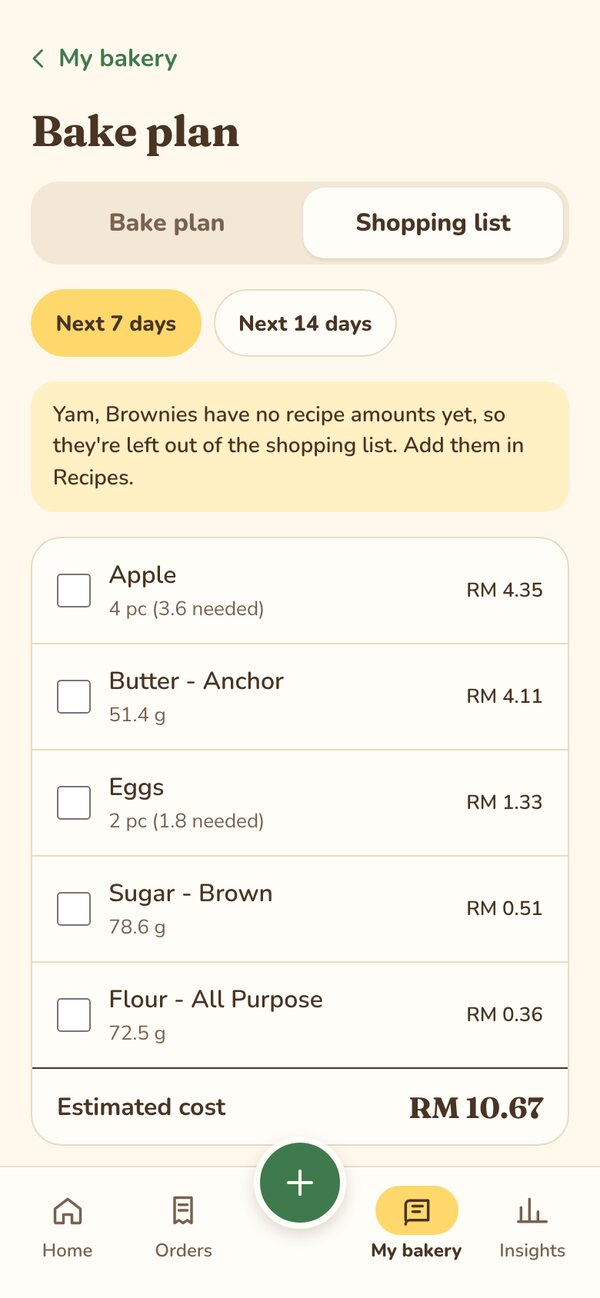
Shop once for the whole week. PRO
Butterbook looks at the cakes you've got coming up and adds up every ingredient you need. Tick things off as you shop.
- Next 7 or 14 days, sorted by date
- Amounts scale to each cake's size
- Estimated cost for each item
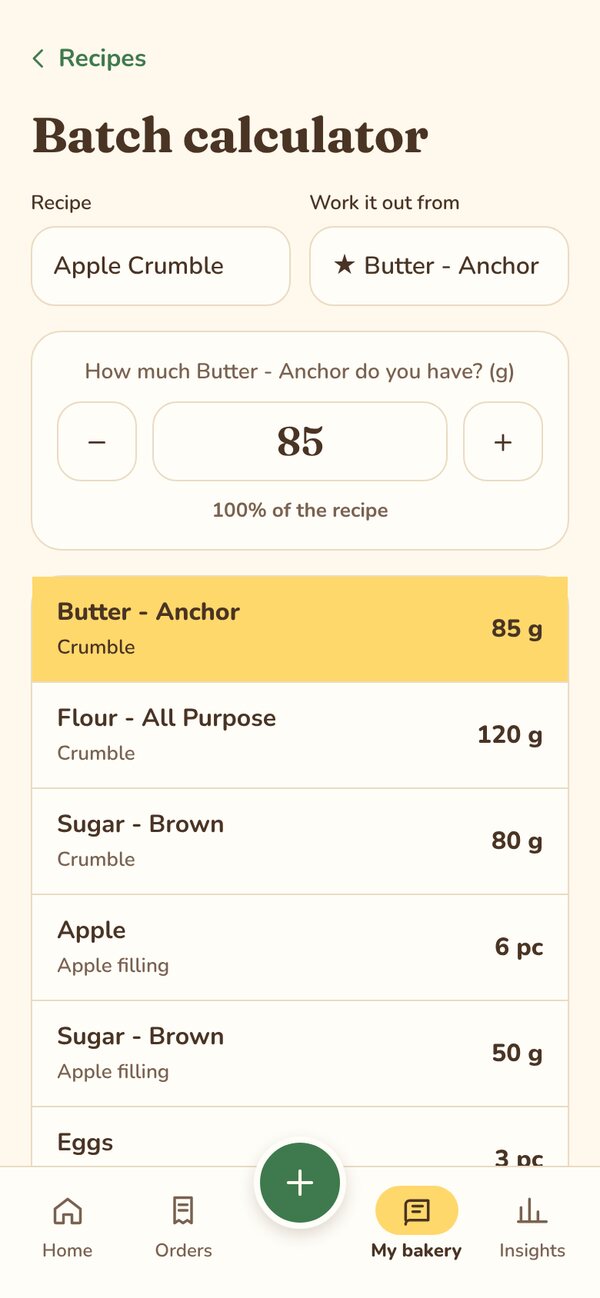
Scale any recipe to what you have. PRO
Only 85 g of butter left? Type it in and every other ingredient adjusts to match.
- Choose the ingredient you usually measure by
- Counted things like eggs and apples included
- Works from any recipe you've added
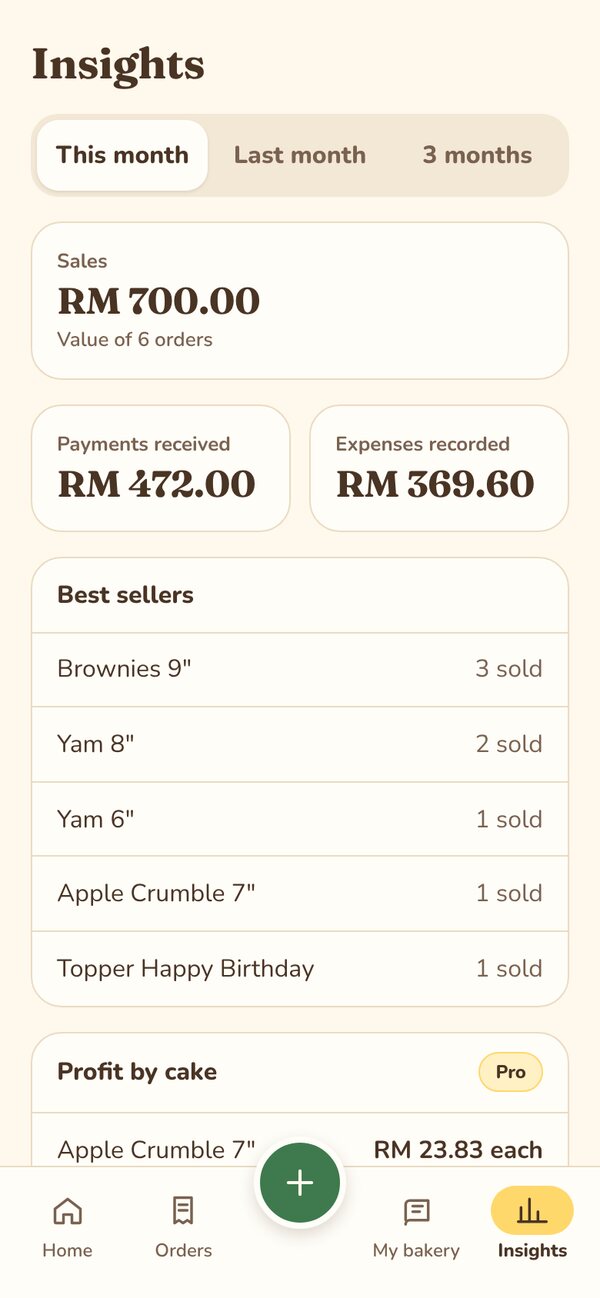
See how your bakery is really doing.
Plain numbers for this month, last month or the last three months: what you sold, what's been paid, and what you've spent.
- Sales, payments received and expenses in one place
- Your best sellers, by cake and size
- Profit for each cake when you turn on Pro
A bigger view for planning days.
Same book, same data. Take orders on your phone in the kitchen, then sit down at your laptop to plan the week.
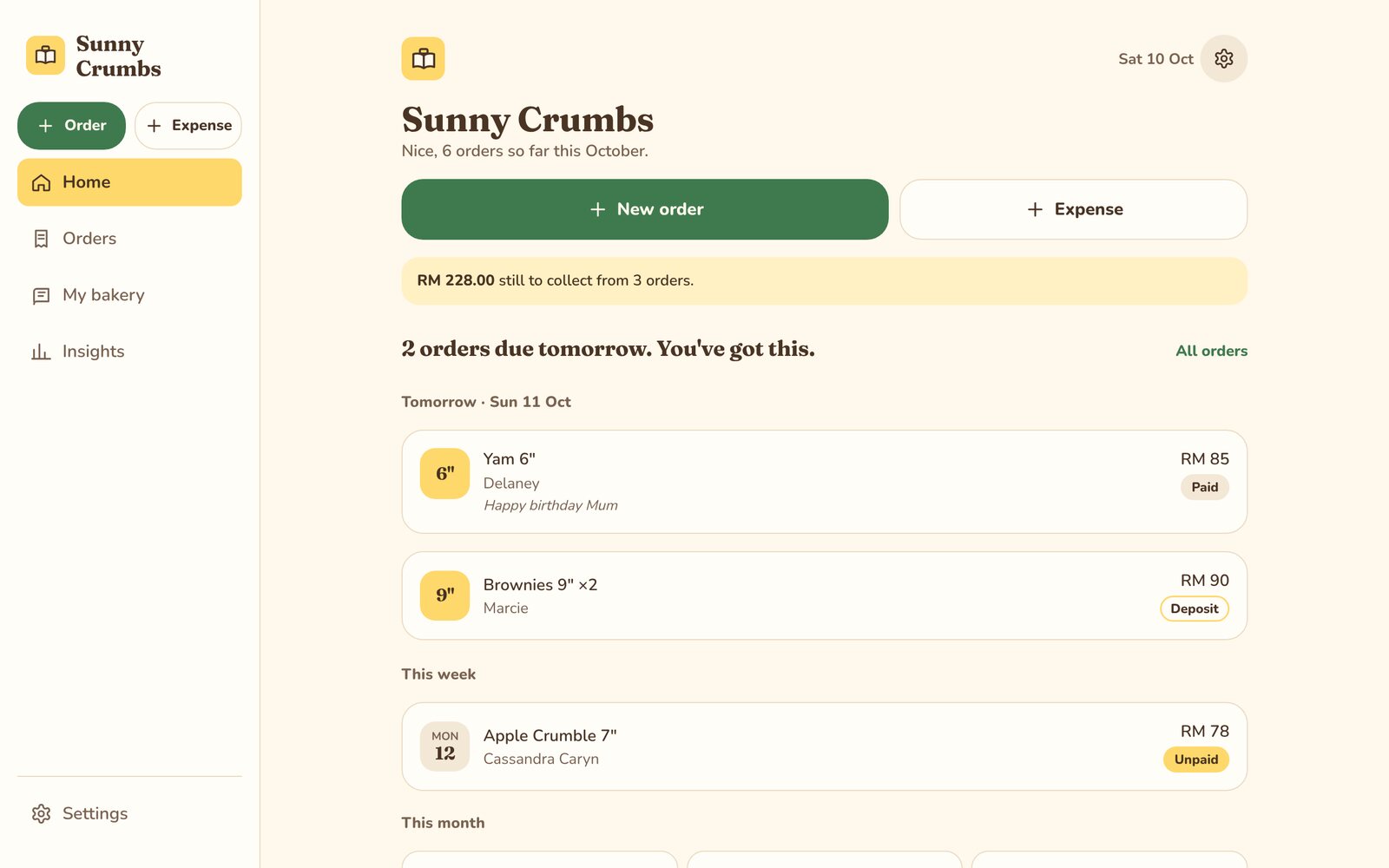
Everything your bakery tracks, in one tidy place.
Orders and receipts
What's due, who's paid, and PDF receipts to share.
Customers
Every regular, what they order and what they've spent.
Recipes and costs
What each cake costs at every size, and a suggested price.
Price list
Your cakes and sizes, ready to fill in every order.
Ingredients and expenses
Log what you buy; prices stay current by themselves.
Insights
Sales, payments, spending and best sellers, month by month.
Bake plan and shopping PRO
What to bake this week and everything to buy for it.
Batch scaling PRO
Work any recipe out from the one ingredient you have.
Import and backups
Bring in your spreadsheet; weekly copies keep it safe.
Your recipes stay yours.
Everything lives in a Google Sheet in your own Google account. TulipShots never holds your orders, recipes, prices or customer details, and you can take your data with you anytime.
What Butterbook asks Google for, and why.
Butterbook runs on Google. The first time you open it, Google asks you to allow three things. Here's what each one is for.
Google says: "See your primary Google Account email address"
So Butterbook knows it's you
Your email tells Butterbook which bakery is yours and whether your beta access is active. It isn't used for marketing.
Google says: "See, edit, create and delete only the specific Google Drive files you use with this app"
So Butterbook can keep your bakery's sheet
Butterbook creates one Google Sheet for your bakery in your Drive, plus weekly backup copies, and reads and writes only those files. It can't see the rest of your Drive.
Google says: "Connect to an external service"
So Butterbook can check your access
Each time you open the app, it asks TulipShots' access service whether your account is active. It sends your email, your business name, the app version, the type of device and whether you've switched on Pro features. Nothing from your sheet is sent.
What TulipShots can see
- Your email address and business name
- When you opened Butterbook, on what kind of device, and which version
- Whether you've switched on Pro features
What TulipShots can't see
- Your orders, customers, recipes, prices or expenses
- Any other file in your Google Drive
- Your Gmail, contacts or calendar
The full details are in our privacy policy. You can remove Butterbook's access anytime from your Google Account's third-party connections.
Up and running in three steps.
Join the waitlist
Leave your email and tell us what you bake.
Easy setup
Sign in with your Google account and bring in your existing sheet if you have one.
Start taking orders
Everything in one book, on your phone, from day one.
Free while we're in beta.
Use Butterbook for free while we test it with real bakers, and try the Pro features too. After the beta there will be a free plan and a Pro plan. Beta bakers will hear about pricing first.
- Orders, receipts, recipes, costing and insights
- Pro features free to try
- Help with setup
- No card needed
Questions bakers ask
Do I need to be good with tech?
No. If you can use WhatsApp, you can use Butterbook, and we'll help you set it up.
Where is my data kept?
In a Google Sheet in your own Google account. You own it and can download it anytime.
Why does Google ask for permission when I open it?
Butterbook needs your email to know it's you, access to the files it creates in your Drive to keep your bakery's sheet, and a connection to TulipShots to check your beta access. See what each one is for.
Can I bring my existing spreadsheet?
Yes. Butterbook can import the orders, recipes and customers you already track.
Does it work on my phone?
It's made for your phone first, with a full view on your computer too.
What does it cost?
Free while in beta. Pricing is coming soon, and beta bakers will hear about it first.
Be one of the first bakers on Butterbook.
Early access is free for the first bakers. We'll email you when your spot is ready.